If you’ve ever found yourself waiting for a flight, hanging out at a friend’s house, or just curled up on the couch away from your main gaming setup, you’ve probably wondered if you can get your Rocket League fix on a portable console. I’ve spent dozens of hours playing Rocket League on my Switch OLED during work trips, and it’s easily one of my go-to portable games when I want to squeeze in a few matches between meetings. If you’re asking is Rocket League on Nintendo Switch, you’ll be happy to know the answer is a resounding yes, and this guide breaks down everything you need to know to get started, from performance to exclusive features to common fixes for small issues.
Is Rocket League on Nintendo Switch? What You Need to Know Before Downloading
Rocket League first launched for the Nintendo Switch back in 2017, and it’s been fully supported with regular updates ever since. The game switched to a free-to-play access model in 2020, so you don’t have to pay a cent to download and play all core game modes, from casual ranked matches to rotating limited-time events. You won’t find a new physical copy in most stores right now, but you can download it directly from the Nintendo eShop in less than 10 minutes on most home internet connections. No locked core content means you won’t have to buy DLC to access standard matches, and you can earn all common in-game cosmetics just by playing, no purchases required.
If you prefer physical copies, you can find used physical editions of the game from before the free-to-play switch online, but they won’t give you any extra content that you can’t get from the free digital download. You don’t need a Nintendo Switch Online subscription to play online Rocket League matches either, which is a nice perk compared to many other Switch online games that require the paid subscription. That means you can jump right into matches as soon as the download finishes, no extra hoops to jump through.
Rocket League Switch Performance: How It Stacks Up to Other Platforms
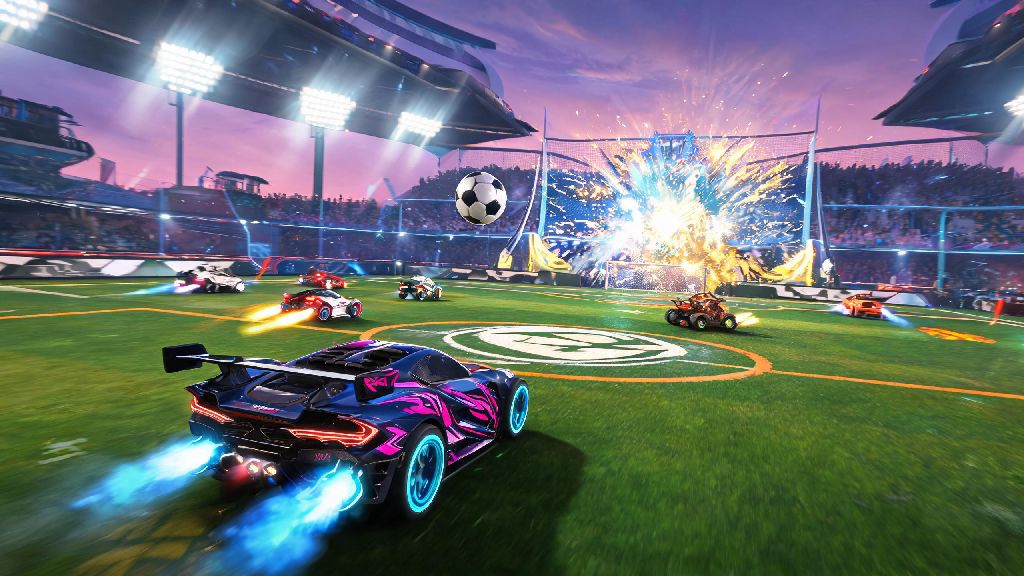
A lot of players worry that the Switch version of Rocket League will feel laggy or low-quality compared to PC, PlayStation, or Xbox, but the port is surprisingly well optimized for Nintendo’s hardware. When you’re playing docked and connected to a TV, you’ll get 60fps docked performance at 1080p resolution, which is identical to the performance you’ll get on most older generation consoles, and more than enough for competitive play. If you’re playing in handheld mode, you’ll get 720p resolution at 30fps, which is perfectly smooth for casual play, though high-level competitive players might notice the lower framerate when pulling off advanced mechanics like flip resets or air dribbles.
So if you’re a casual player who just wants to have fun with friends, the performance won’t be an issue at all, but if you’re chasing top 100 rank, you might prefer playing on a higher-powered platform for the consistent 60fps in all modes. I’ve played hundreds of casual and low-level competitive matches on the Switch, and I’ve never run into performance issues that made the game unplayable, even during chaotic limited-time modes with 8 players on the field at once. The graphics are slightly downgraded from other platforms to keep performance steady, but you’ll barely notice the difference unless you’re switching between platforms constantly.
Key Features of Rocket League on Nintendo Switch You Should Use
The Switch version of Rocket League doesn’t just copy the base game from other platforms – it has a handful of exclusive features that make it worth playing even if you already own the game on another console. Some of the best features include:
- Full crossplay with all other platforms, so you can queue with friends on PlayStation, Xbox, PC, and mobile no matter what device they’re using
- Full cross-progression, meaning all your cosmetics, rank, and in-game currency carry over if you log in with your Epic Games account, so you don’t have to start over from scratch
- Exclusive Nintendo-themed cosmetics, like Mario, Luigi, and Zelda car decals, wheels, and boost trails you can’t get on any other platform, even if you pay for premium DLC
- Local split-screen multiplayer for up to 4 players on a single Switch, perfect for game nights with friends without needing extra consoles or accounts
The local split-screen feature is one of my favorites, because you can split a pair of Joy-Cons between two people for impromptu matches, no extra controllers required. You can also link up multiple Switch consoles for local wireless play if you and your friends all have your own devices and copies of the game, which is great for LAN parties when you don’t have internet access. The cross-progression feature also means you don’t have to choose between playing on your main console and your Switch – you can rank up on your PC at home, then pick up right where you left off on your Switch when you’re traveling.
Common Issues with Rocket League on Switch (And How to Fix Them)
While the Switch port is well made, it’s not perfect, and there are a few small issues you might run into when playing. The most common complaint is occasional frame drops in handheld mode during crowded matches with lots of boost trails and special effects, but you can fix this by closing any background games or apps you have running, and turning off HD rumble in the game settings. If crossplay isn’t working, double check that you’re logged into your Epic Games account in the game menu, and that crossplay is enabled in your account settings.
If you’re struggling with short battery life when playing in handheld mode, lower your screen brightness and turn off Wi-Fi if you’re playing offline matches, which can add up to an extra hour of play time on a single charge. It’s also worth noting that the Switch OLED model has slightly better battery life and a larger, brighter screen than the original Switch, so handheld play feels a lot more immersive on the newer model if you have the option to upgrade. If you run into consistent crashes or lag, try deleting and reinstalling the game, as corrupted download files are a common cause of performance issues for Switch games.
At the end of the day, if you’re looking for a portable way to play one of the most popular competitive sports games ever made, the Switch version of Rocket League is an excellent option. It has all the core features of the game, plus exclusive content and crossplay support that makes it easy to play with friends no matter what platform they use. If you’re still asking is Rocket League on Nintendo Switch, you can head to the eShop right now to download it for free and try it out for yourself, no strings attached. It’s a great addition to any Switch game library, whether you’re a casual player who just wants to have fun, or a competitive player who wants to get practice in when you’re away from your main setup.