If you’ve spent even a few weeks grinding Rocket League matches, you’ve almost certainly earned a few drops without even noticing. They pop up as rewards for leveling up your Rocket Pass, winning tournament matches, and playing through limited-time events, but a shocking number of new players don’t know how to open Rocket League drops, or what to do with them once they have them. I’ve been playing Rocket League regularly since its 2015 launch, and I’ve opened well over 300 drops across casual, competitive, and tournament play, so I’ve learned exactly how the system works, how to get better rewards, and how to fix the most common issues that pop up when you’re trying to claim your items. This guide will walk you through every part of the process, no prior experience with the game’s inventory system required.
How to Open Rocket League Drops: Step-by-Step Walkthrough
The process of opening drops is actually really simple, but it’s easy to miss if you don’t spend a lot of time digging through your inventory. The best part is you don’t need to spend real money to open standard Rocket League drops, unlike the old crate system that required paid keys to unlock rewards back in the early days of the game.
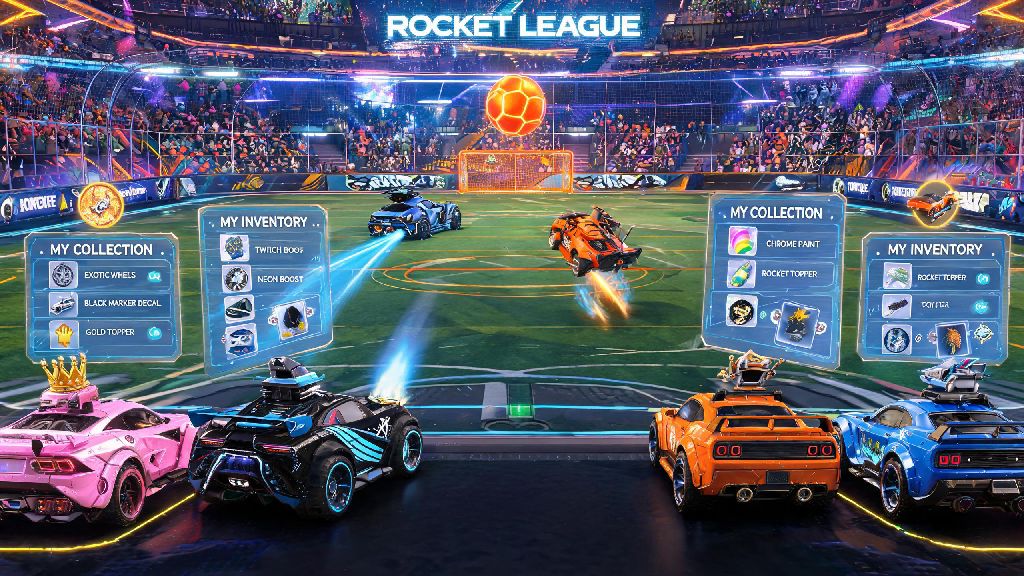
To open your drops, just follow these simple steps: First, launch Rocket League and navigate to the main menu. Select the Garage tab, then click on Inventory to pull up all of your stored items. Scroll down until you see the Drops section, which is grouped with other unopened items like blueprints and gift packs. Click on the specific drop you want to open, then select the “Open Drop” option from the pop-up menu. Wait for the short animation to play, and your new item will be automatically added to your inventory.
If your drop is greyed out and won’t let you click it, don’t panic. That usually just means you haven’t met the requirements to unlock it yet, most often that you haven’t reached the required Rocket Pass tier for that specific drop. Just keep playing matches to level up your Rocket Pass, and it will unlock automatically once you hit the right tier.
Different Types of Rocket League Drops and What They Contain
Not all drops are created equal, and the type of drop you earn will directly impact the rarity and type of items you can get from it. A lot of new players get frustrated when they open basic Rocket Pass drops and only get common wheels or toppers, but that’s just because those drops have a very limited reward pool. Tournament drops have the highest chance of dropping black market items, so if you’re chasing rare goal explosions, decals, or boosts, that’s where you should focus most of your grinding time.
Here’s a quick breakdown of the most common drop types you’ll earn while playing:
- Rocket Pass Free Drops: Earned by leveling up the free track of the current Rocket Pass, these drops only reward uncommon to rare customization items pulled directly from the current pass’s cosmetic pool.
- Event Drops: Earned by playing limited-time in-game events like Haunted Hallows or Frosty Fest, these drops include event-exclusive decals, wheels, and toppers that you can’t get from any other source, even the item shop.
- Competitive Season Drops: Earned by completing competitive placement matches and climbing rank tiers each season, these drops include rank-specific rewards like exclusive title banners and decals that show off your rank for that season.
- Tournament Drops: Earned by winning matches in official in-game tournaments, these drops have a 12% chance of dropping black market items, the highest rate of any standard drop type in the game.
It’s worth noting that all drops are tied to the season or event they’re earned in, but they don’t expire. You can hold onto drops for months or even years if you want to, and they’ll still open just fine whenever you decide to get to them. I still have a few unopened drops from the 2021 Frosty Fest event that I’m saving for a rainy day, and they work perfectly every time I check them.
Pro Tips to Maximize Your Drop Rewards
Opening drops is easy, but there are a few little-known tricks you can use to get better rewards and make the most of every drop you earn. I’ve tested all of these tips myself over the years, and they’ve helped me build a garage full of rare black market items without spending a single dollar on credits. First, you can only trade items earned from drops if you have purchased at least 500 credits in the past, that’s an anti-fraud restriction Psyonix added a few years ago to cut down on item scamming. If you haven’t bought credits before, you can still use the items yourself, you just can’t trade them to other players.
Another great tip is to save all duplicate items you get from drops, instead of deleting them to clear inventory space. You can trade up five items of the same rarity to get one random item of the next higher rarity, and trading up duplicates from drops is the most consistent way to get higher rarity items without spending money. I’ve gotten three black market decals just from trading up rare duplicates I got from free Rocket Pass drops, so it absolutely works if you’re patient.
You might have heard rumors that opening drops at certain times or after winning streaks gives you better rewards, but that’s just a myth. Drop rewards are completely random, and there’s no way to manipulate the system to get rarer items. The only thing that impacts your reward quality is the type of drop you’re opening, so focus on earning tournament drops if you want the best possible odds of pulling rare items. It can be tempting to burn through all your free Rocket Pass drops as soon as you earn them, but saving those duplicates for trade ups will get you way better rewards long term.
Common Issues Opening Rocket League Drops (And How to Fix Them)
Even though opening drops is usually a smooth process, there are a few common issues that pop up for players, especially if you’re playing on a child account or using cross-progression across multiple platforms. The most common issue I hear about from new players is that their drops won’t open at all, even when they’ve hit the required Rocket Pass tier. In most cases, child accounts under 13 can’t open drops by default, due to COPPA restrictions on in-game item access. If you’re on a child account, you’ll need to ask your parent or guardian to adjust your parental settings to enable item unlocking.
Another common issue is the drop animation freezing halfway through, making it look like you lost your reward. Don’t panic if this happens to you—your reward is automatically added to your inventory as soon as you click the “Open Drop” button, so the animation is just for show. Just restart your game, and you’ll find your new item in the “Recent Items” section of your inventory. I’ve had this happen to me at least a dozen times, and I’ve never lost a single item from it.
If you notice drops are missing from your inventory after you transfer your account to a new platform, that’s usually because those drops were platform-exclusive. Most drops work across all platforms with cross-progression, but some limited-time platform-specific event drops will stay tied to the original platform you earned them on. You’ll still be able to open them if you log back into that platform, they just won’t carry over to other consoles or PC. If you still can’t find your drops after checking your original platform, you can reach out to Psyonix support for help, and they’ll usually restore missing drops within 72 hours as long as you have proof of earning them.
At the end of the day, learning how to open Rocket League drops is just the first step to building a custom garage that fits your personal style. You don’t need to drop hundreds of dollars on the item shop to get rare, cool items—grinding tournaments and events for higher quality drops will get you the same rewards for free if you’re willing to put in the play time. I still get excited every time I earn a new tournament drop, even after all these years of playing, because you never know when you’re going to pull that rare black market goal explosion you’ve been chasing for months. If you run into any issues while opening your drops, just run through the quick troubleshooting tips we covered, and you’ll be back to unlocking new items in no time.