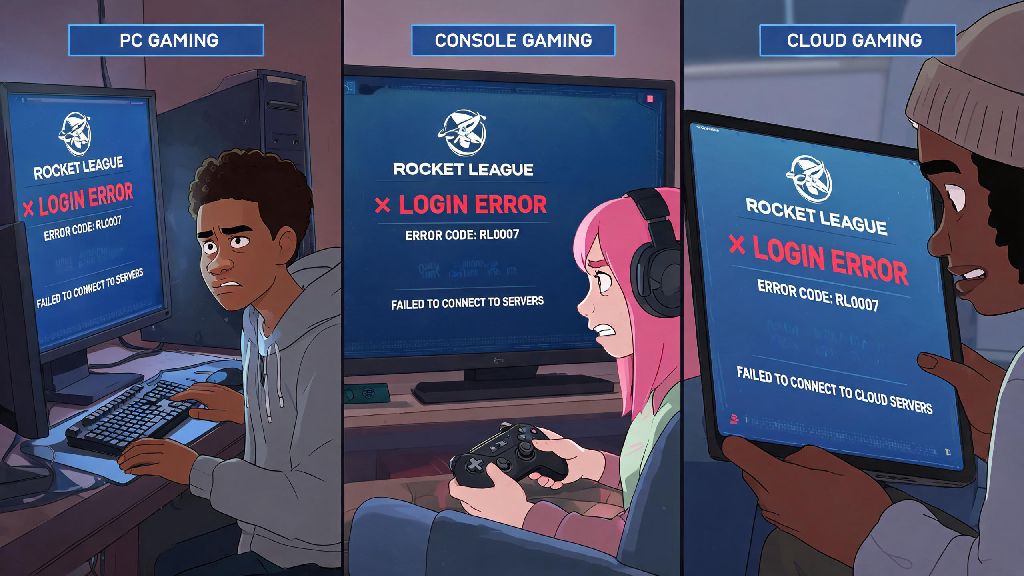
There’s nothing more frustrating than sitting down for your nightly Rocket League grind, typing in your login info, and getting hit with a pop-up saying your account is banned. I’ve watched two of my regular squad members go through this in the last year alone—one for a false mass report after a heated competitive match, another for a dumb toxic chat rant he sent when his teammate threw a grand champion qualifier. If you’re staring at that same ban screen right now, you’re probably looking for how to get unbanned on Rocket League without wasting weeks waiting for a generic response. This guide breaks down exactly what to do, what not to do, and how to maximize your chances of getting your account back as fast as possible.
First Steps to Take When Learning How to Get Unbanned on Rocket League
The second you see that ban notification, your first instinct might be to panic, make a new account, or fire off an angry tweet at Psyonix support. Don’t do any of that. First, read the full ban message carefully. It will tell you the reason for the ban, the duration, and if you’re eligible to appeal. Always note the exact ban duration and stated reason before you take any further action, this information will be critical for your appeal later.
Next, check if the ban is for your account specifically, or if it’s a device or IP ban. Most first-time offenses are account-specific and temporary, ranging from 24 hours for minor chat violations to 72 hours for competitive queue sabotage. Permanent bans are usually reserved for repeated severe offenses or cheating.
It’s also smart to think back to your last few play sessions to see if you did anything that could have triggered the ban. Did you get into a heated argument with another player? Did you download a custom mod that changes gameplay? Did you let a friend log into your account last week? Answering these questions honestly will help you decide if you have a strong case for an appeal, or if you’re better off waiting out a short temporary ban.
Common Rocket League Ban Reasons (and Which Are Appealable)
Psyonix has pretty clear terms of service for Rocket League, and most bans are issued for violations that are spelled out plainly in the community code of conduct. Not all bans are appealable, so knowing which ones you can fight will save you a lot of time.
Toxic chat or harassment is the most common ban reason by far. This includes hate speech, slurs, targeted harassment, spamming offensive messages, or even excessive negative quick chat spam. First offenses are usually 24 to 72 hour bans, and these are often appealable if you can prove the messages were sent by someone who hacked your account, or if it’s your first offense and you show genuine remorse.
Account sharing or selling is another common violation. You are the only person allowed to access your Rocket League account, per Psyonix rules. If you sell your account, give it to a friend to grind ranks for you, or buy an account from a third-party site, you will almost always get a permanent ban that is very hard to appeal.
Cheating or using unauthorized tools is the hardest ban to reverse. This includes aimbots, wall hacks, macro tools for automatic aerials, or any third-party software that gives you an unfair competitive advantage. Almost all cheating bans are permanent, and you will only get them reversed if you can prove it was a false positive, which is rare.
False mass reports are the easiest bans to appeal. Sometimes, a group of players will report you unfairly after a lost match, and automated systems will issue a temporary ban before a support agent reviews the case. If you didn’t violate any rules, these bans are almost always overturned quickly when you submit evidence.
How to Submit a Successful Ban Appeal to Psyonix Support
If you decide your ban is appealable, follow these steps exactly to give yourself the best chance of getting your account back. Skipping steps or submitting a messy, angry appeal will almost always result in a denial.
- Log into your official Psyonix support account using the same email linked to your banned Rocket League account. Do not use a different email or a new account, support will not be able to find your ban record if you do this.
- Select the "Rocket League" category, then choose "Ban Appeal" as your request type. Do not submit your appeal under a general support ticket, it will take much longer to get a response.
- Clearly explain your situation, include any evidence that proves the ban was a mistake. This can be screenshots of chat logs from your last match, login history showing your account was accessed from an unknown location if it was hacked, or a clip of your gameplay if you were accused of cheating.
- Keep your tone polite and factual, avoid aggressive language or baseless accusations against support staff. Even if you’re 100% sure the ban is unfair, being rude will only make the agent less likely to help you.
- Wait 3 to 7 business days for a response, don’t submit multiple appeals for the same ban. Multiple appeals will flag your account as spam and push your ticket to the bottom of the queue.
Do not lie in your appeal, support has access to full logs of all your account activity, including chat history, gameplay data, and login locations. If you admit you made a mistake for a first offense, many agents will reduce your ban length as a one-time courtesy. But if you lie and they catch you, you could end up with a permanent ban even for a minor first offense.
If your appeal is approved, you will get an email notifying you that your account has been unlocked, and you can log back in immediately. If it’s denied, you will have to wait out the ban duration, or accept a permanent ban if that’s the final decision.
Tips to Avoid Getting Banned on Rocket League in the Future
Once you get your account back, or if you’re just trying to avoid a ban in the first place, these simple rules will keep you in good standing with Psyonix support.
First, never respond to toxic players in chat. If a teammate is throwing or an opponent is harassing you, just mute them and move on. Even a single angry message can lead to a ban if the other player reports you. You can also turn off text chat entirely in settings if you don’t want to deal with it at all.
Enable two-factor authentication on your account as soon as possible. Hackers regularly target Rocket League accounts to steal cosmetic items or use the account to cheat, and you are responsible for all activity on your account even if it was hacked. 2FA makes it almost impossible for someone else to access your account without your permission.
Don’t download any third-party mods or tools that modify gameplay. Cosmetic mods that only change how your car looks on your screen are usually safe, but any mod that gives you an in-game advantage, or lets you access paid content for free, will get you banned. When in doubt, stick to official in-game customizations only.
Never share your account information with anyone, even close friends. If your friend uses your account to cheat or send toxic messages, you will be the one who gets banned, and you won’t be able to appeal it because you voluntarily gave them access to your account.
Finally, if you notice you’re getting reported more often than usual, take a step back and look at your behavior. Even small things like spamming "What a save!" after every teammate mistake can lead to multiple reports, which will make the automated ban system more likely to flag you for a review.
Getting banned on Rocket League can feel like the end of the world, especially if you’ve spent hundreds of hours grinding ranks and collecting rare cosmetics. But if you follow the steps we laid out, you have the best possible chance of getting your account back quickly. Remember, the key to successfully figuring out how to get unbanned on Rocket League is being honest, providing clear evidence, and being patient with support. Once you’re back in the game, stick to the community rules and you won’t have to deal with that frustrating ban screen ever again.