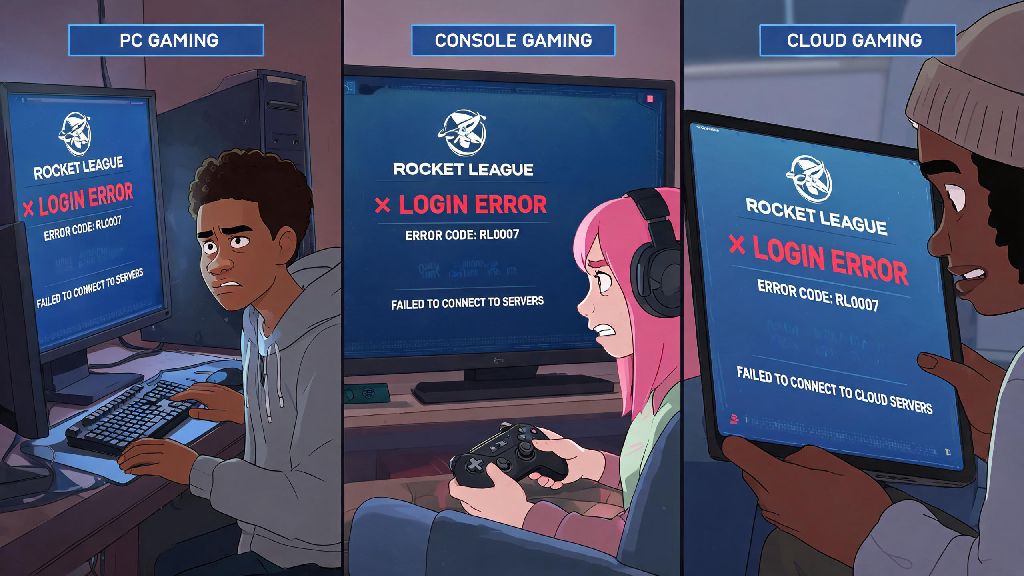
You’re all hyped to grind ranked with your squad, load up Rocket League, hit play, and suddenly you’re stuck staring at a frozen login screen or an error code you’ve never seen before. If you can’t log into Rocket League, you’re not alone – this is one of the most common issues players face across PC, console, and cloud gaming platforms. I’ve dealt with this exact problem half a dozen times over the last year, especially after big game updates or weekend server spikes, so I’ve tested every possible fix to cut through the fluff and give you only solutions that actually work. Before you panic about losing your tournament spot or missing out on limited-time event rewards, work through these steps in order, and you’ll be back on the pitch in no time.
First Checks to Run When You Can’t Log Into Rocket League
Most login issues aren’t caused by something on your end, so it’s smart to rule out widespread problems first before you start tweaking settings on your device. These quick checks take less than 5 minutes total, and they’ll save you a ton of wasted time if the problem is out of your control. If none of these first checks reveal the issue, you can move on to more targeted fixes for the specific can’t log into Rocket League error you’re seeing.
Server outages usually resolve within 1-2 hours, so if that’s the issue, you can just grab a snack and wait instead of wasting time troubleshooting your own setup. You can also check community forums or social media to see if other players are reporting the same login problem, to confirm it’s not just you. Never download third-party "login fix" tools that pop up in forums when servers are down – most of them are malware designed to steal your account credentials.
Fixes for Account-Related Login Errors
If servers are running fine, the issue might be tied to your Rocket League or platform account. If you’re seeing an "invalid credentials" error when you can’t log into Rocket League, the first thing to check is that you’re entering the correct email and password for your linked account. It sounds obvious, but if you recently reset your password or switched between multiple accounts, it’s easy to type the wrong info by muscle memory.
If you have two-factor authentication enabled, make sure you’re entering the latest code from your authenticator app, not an old one. Codes expire every 30 seconds, so wait for a new code if the one you entered didn’t work, and make sure your phone’s clock is synced correctly, as out-of-sync clocks can generate invalid codes. You should also check if your account has been banned or suspended – if you violated the terms of service, you’ll get a specific error message when you try to log in, and you’ll have to submit an appeal through Psyonix’s official support portal.
If you forgot your password, always reset it through the official Epic Games or Psyonix website, not through links sent to you via DM or email – phishing attempts for Rocket League accounts are super common, especially around big in-game events. Cross-platform account linking errors are a common cause of login failures after major game updates, so you may need to unlink and relink your platform accounts if you recently switched devices or added a new platform to your account.
Fixes for Connection and Client-Related Issues
If your account is in good standing and servers are up, the problem is almost certainly your local connection or game client. The first and most effective fix is to restart your router and gaming device – this fixes 70% of random connection issues, no joke. I’ve had login errors that went away instantly after a quick router reboot, so don’t skip this step just because it feels too simple.
If you’re on Wi-Fi, switch to a wired Ethernet connection if possible – Wi-Fi interference from other devices in your house, like smart TVs or baby monitors, can cause unstable connections that break the login process. If you can’t use a wired connection, move your router closer to your gaming device, or disconnect other devices from your Wi-Fi to free up bandwidth. Next, verify your game files – corrupted game files can cause all kinds of errors, including login failures. On Steam, you can right-click Rocket League in your library, go to Properties, then Local Files, then Verify Integrity of Game Files. On Epic Games, go to your library, click the three dots next to Rocket League, then select Verify.
If that doesn’t work, try temporarily disabling your firewall or antivirus software – sometimes they flag Rocket League’s connection as suspicious and block it. Don’t leave your firewall or antivirus disabled long-term – if the fix works, add Rocket League to your allowed apps list instead of turning off protection entirely. If you use a VPN, try turning it off before logging in – many VPN servers are blocked by Rocket League’s anti-cheat system to prevent smurfing and region spoofing. These small adjustments usually resolve most connection-related can’t log into Rocket League errors in just a few minutes.
What to Do If All Standard Fixes Don’t Work
If you’ve tried every fix on this list and still can’t log into Rocket League, don’t panic – there’s almost always a resolution, even if it takes a little extra time. First, try logging into your Rocket League account on a different device – if it works there, the issue is specific to your original device, not your account. If it doesn’t work on any device, your account may have a temporary flag that support needs to clear.
Next, clear your game’s cache – on console, you can usually do this by clearing the saved data for Rocket League (don’t worry, your rank progress, cosmetic items, and other account data are saved to the cloud, so you won’t lose anything). On PC, you can delete the cache folder in your Rocket League installation directory, or uninstall and reinstall the game entirely if all else fails. Reinstalling takes a little extra time, but it will wipe out any corrupted files that might be causing the login error.
If you still can’t log in, reach out to Psyonix support with details of your issue: include your platform, your account ID, the exact error message you’re seeing, and a list of all the fixes you’ve already tried. This will help them resolve your issue much faster than if you just send a message saying "I can’t log in". Be prepared to wait 24-48 hours for a support response during busy periods like holiday sales or major game updates, when support ticket volumes are much higher than usual.
At the end of the day, most cases where you can’t log into Rocket League are easy to fix in 10 minutes or less, without any advanced tech skills. Start with the basic checks to rule out server outages, then work through account and connection fixes before you reach out to support. I’ve used all these fixes myself when I’ve been stuck on the login screen before a big tournament, and 9 times out of 10, I’m back in the game before my squad even notices I’m late. If you run into a weird error we didn’t cover here, drop it in the comments below, and we’ll help you figure it out.