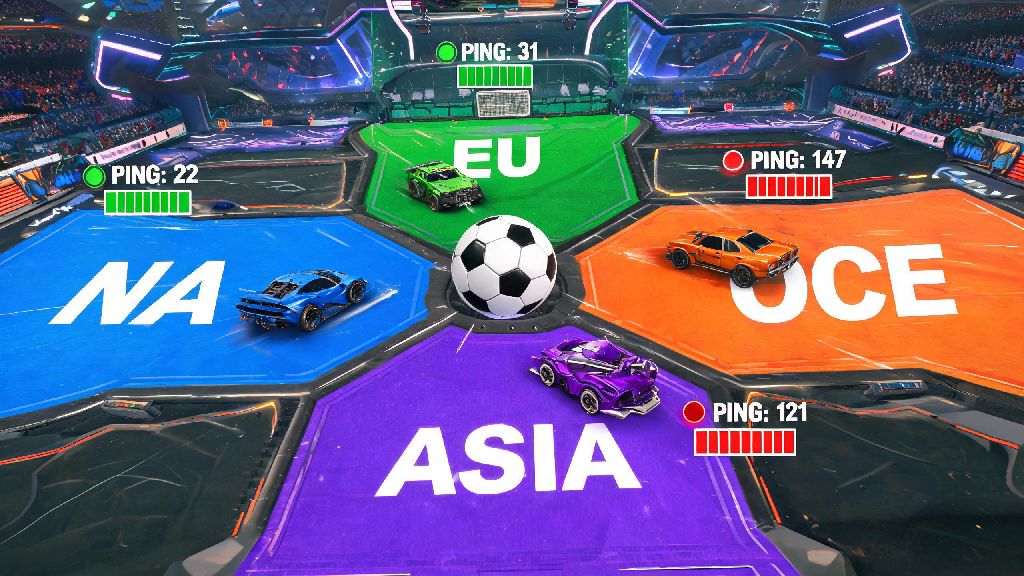
If you’ve ever sat through a 10-minute ranked queue, struggled with rubber-banding during a tournament final, or wanted to squad up with a friend who lives on the other side of the world, you’ve probably wondered how to change regions in Rocket League. The game’s default region selection works fine for most casual play, but switching to a different server location can completely transform your gameplay experience for the better. It’s a simple process, but a lot of players miss hidden settings or make small mistakes that keep them stuck on their default region even after they think they’ve changed it.
Why Would You Want to Change Regions in Rocket League?
Most players never touch their region settings, but there are tons of legitimate reasons to switch things up every once in a while. The most common one is chasing lower consistent ping—if your default region has overloaded servers during peak play hours, switching to a nearby secondary region can cut your latency in half and eliminate frustrating lag spikes mid-match.
Another big reason is playing with friends who live in other countries. If you team up with someone in a different region, the game will usually default to the party leader’s server, but manually switching to their region first can make the connection even smoother for everyone in the lobby. You might also want to switch regions to test your skills against different player bases, or to access region-exclusive limited-time events that Psyonix rolls out for specific parts of the world throughout the year.
Some players also switch regions to find shorter queue times for less popular playlists. For example, if you’re trying to queue for a 3v3 tournament at 2am in your local region and the wait time is over 20 minutes, switching to a region where it’s currently prime play time can get you into a match in just a couple of minutes. Just keep in mind that you might face higher ping if you pick a region that’s very far from your physical location.
How to Change Regions in Rocket League for Every Major Platform
The process for switching regions varies a little depending on what platform you play on, but none of the steps take more than a minute or two to complete. Before you dive into the platform-specific steps, there are a few key things to note that apply across all devices:
For PC players on Steam or Epic Games, open Rocket League and head to the main menu. Click the settings cog in the top right corner, then select the “Gameplay” tab. Scroll down until you see the “Region Selection” dropdown menu, pick the region you want to play in, then save your settings. You’ll need to close and restart the game for the change to take full effect. For PlayStation users, you don’t need to change your PSN account region—just open Rocket League, go to settings, select “Gameplay”, then pick your preferred region from the same dropdown menu you see on PC.
Xbox players follow a nearly identical process: open the game, head to settings, go to the Gameplay tab, select your new region, and restart the game. If you play on Nintendo Switch, the steps are the same, though you may notice slightly longer load times after switching regions due to the console’s smaller processing power. No matter what platform you’re on, we recommend running a quick casual match after switching to confirm your ping is at an acceptable level before jumping into ranked play or tournaments.
One common quirk to watch out for: if you’re in a party with other players, the game will prioritize the party leader’s region setting over your own. If you want to play on a specific region when grouping up, make sure the party leader has that region selected before you queue for a match.
Common Mistakes to Avoid When Switching Rocket League Regions
Even though changing regions is a simple process, a lot of players make small mistakes that leave them frustrated when their settings don’t stick. The most common error is forgetting to restart your game after changing region settings. The region dropdown will show your new selection immediately, but the game won’t actually connect to the new server location until you fully close and reopen it. Skipping this step means you’ll still be playing on your old region without even realizing it.
Another mistake is picking a region based solely on queue time without checking the average ping first. A 1-minute queue time doesn’t mean much if you’re playing with 200ms ping that makes it impossible to hit aerials or save shots. A lot of players will look up average ping and queue time data for different regions before making the switch, to make sure they’re picking the best possible option for their needs. Casual players who want to test out new regions without risking their competitive rank often warm up with casual matches on AAGAME first to get used to higher or lower latency before jumping into ranked play.
You also don’t want to switch regions too frequently, especially if you’re playing ranked. The game’s anti-smurf detection system may flag frequent region switches as suspicious activity, which can lead to temporary queue restrictions or even rank resets in extreme cases. We recommend sticking to one primary region for most of your play, and only switching for specific reasons like playing with overseas friends or accessing a limited-time event. If you do switch regions, wait at least 24 hours before switching back to avoid triggering any detection flags.
What to Expect After You Switch Your Rocket League Region
Once you’ve successfully switched regions, you’ll notice a few small changes to your gameplay experience right away. The most obvious one is your ping, which will either go up or down depending on how far the new region is from your physical location. If you picked a nearby secondary region with less server congestion, you’ll probably notice much smoother gameplay with almost no lag spikes, even during peak hours.
You might also notice a difference in the skill level of players you’re matched against, especially if you switch to a region with a smaller player base. Some regions have more concentrated competitive player pools, so you might face tougher opponents for the same rank tier than you would in your default region. This can be a great way to practice and improve your skills faster, as long as your ping is low enough to play at your normal level.
If you switched regions to access a limited-time event, you’ll see the event content pop up in your main menu as soon as you restart the game. Just keep in mind that any event progress you make will carry over when you switch back to your home region, so you don’t have to worry about losing out on exclusive rewards. You should also watch out for region-exclusive cosmetic drops that you can only get by playing in specific regions during events, which are a great way to customize your car with rare items other players in your home region might not have.
Queue times are the other big change you’ll notice. If you switched to a more populated region during its peak play hours, you’ll probably get into matches much faster than you would in your default region. If you switched to a smaller, less populated region, you might have to wait a little longer, but the tradeoff for lower ping or exclusive content is usually worth it for most players.
At the end of the day, learning how to change regions in Rocket League is a small skill that can have a huge impact on how much you enjoy the game. Whether you’re chasing lower ping, playing with overseas friends, or hunting for exclusive event rewards, the process is quick and easy as long as you follow the right steps and avoid the common mistakes we’ve outlined. Take a minute to test out a nearby secondary region the next time you’re dealing with lag or long queue times, and you might be surprised by how much better your gameplay experience gets.