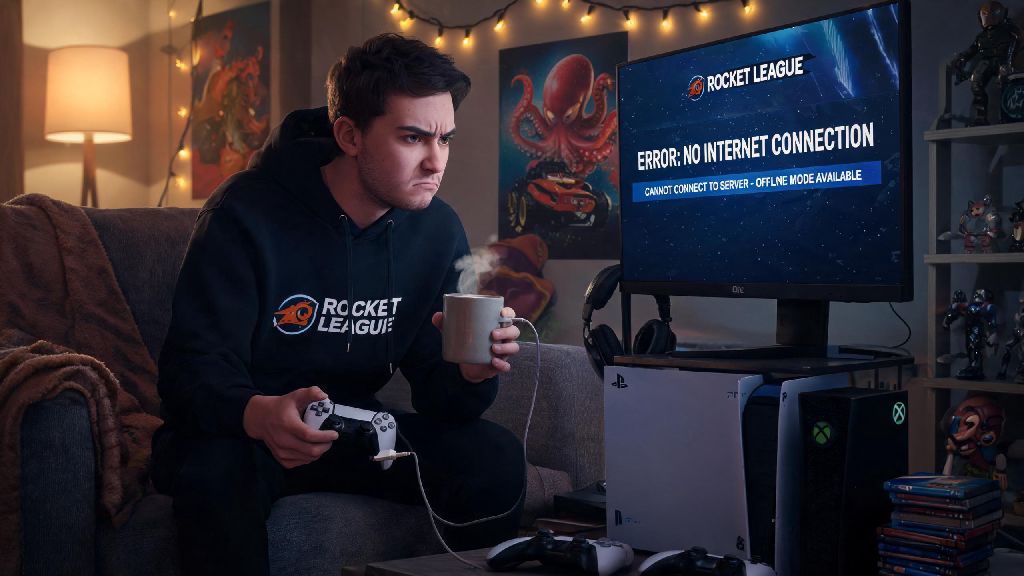
There’s nothing worse than settling in for a Rocket League session, only to find your internet is down, or you’re stuck in a remote location with no Wi-Fi access. If you’re in that spot right now, you’ve almost certainly asked: can you play Rocket League offline? The short answer is yes, but there are a few important limits, platform-specific quirks, and hidden tricks you need to know to make the most of your offline playtime. I’ve been playing Rocket League since its 2015 launch, and I’ve tested offline mode across every major platform, so I’m walking you through everything you need to know below.
Can You Play Rocket League Offline: What Modes Are Available?
First, it’s important to clarify that you won’t have access to every feature of Rocket League when you’re offline. You can’t join ranked matches, access the item shop, sync your progress to your online account, or play with friends remotely, but all the core, skill-building game modes are fully playable with no internet connection. The full list of supported offline modes includes:
One thing to note here: you’ll need to have logged into your Rocket League account at least once online before you can access offline mode. This is a one-time verification step required by Psyonix to prevent piracy, so if you’re downloading the game for a trip, make sure you open it once while you still have internet to avoid being locked out later. I learned this the hard way on a cross-country road trip a few years ago, when I couldn’t launch the game because I’d downloaded it the night before but forgot to open it while I still had Wi-Fi.
How to Set Up Offline Rocket League on Any Platform
The setup process for offline play is pretty similar across all platforms, but there are a few small differences you should be aware of to avoid headaches. For PC users on Steam or Epic Games Store, all you need to do is open your launcher, switch it to offline mode, then launch Rocket League as normal. You’ll get a pop-up warning that you can’t access online features, just hit confirm and you’ll be taken straight to the offline main menu. If you run into issues launching the game, make sure you’ve installed all recent updates while you’re online, as some updates will block offline play until they’re fully installed.
For console users, the process is even simpler. Just disconnect your console from Wi-Fi or ethernet, then launch Rocket League. The game will automatically detect you have no internet connection and boot into offline mode without any extra steps. If you’re playing on PlayStation, make sure your console is set as your primary device, otherwise you may not be able to play Rocket League offline even if you have the game downloaded. If you’re playing on Nintendo Switch, make sure you have the full game downloaded to your internal storage or SD card, not just the cloud version, or you won’t be able to launch it without internet access.
That said, there is one common glitch across all platforms that can lock you out of offline mode even if you’ve already done the initial login. If you get an error message saying you need to connect to the internet, just close the game fully, turn off your internet completely, then relaunch the game. 9 times out of 10, that will fix the issue immediately. If it doesn’t, try restarting your device before you assume offline mode isn’t working.
Pros and Cons of Playing Rocket League Offline
Most people ask can you play Rocket League offline only when their internet is down, but it actually has a lot of benefits even if you have a stable connection. For new players, offline mode is the best possible place to learn the game without being yelled at by toxic teammates in online lobbies. You can take as much time as you need to get comfortable with controls, mechanics, and game rules without any pressure to perform. I always recommend new players spend at least 10 hours in offline free play and training packs before jumping into their first online casual match.
Offline mode is also the only way to play split-screen couch co-op with friends in the same room, which is one of the most underrated features of Rocket League. I’ve hosted dozens of game nights with 4-player split-screen Rocket League, and it’s always the hit of the night, even for people who don’t usually play video games. You don’t have to worry about lag, connection drops, or random players ruining the fun, it’s just you and your friends messing around.
Of course, there are downsides too. You won’t earn any online rewards, credits, or battle pass progress when you play offline, so any items you unlock or ranks you earn in offline season mode won’t carry over to your online account. You also can’t play against real human opponents outside of local split-screen, so if you’re practicing for ranked matches, you’ll eventually need to go back online to test your skills against real players. Bots are great for practice, but they don’t have the same unpredictable playstyle as real people.
Another small downside is that custom training packs you downloaded online will still work offline, but you can’t download new ones until you reconnect to the internet. So if you’re planning a long trip, download all the training packs you want to use before you leave home. I usually keep 10 to 15 different training packs saved to my account just in case I end up without internet for a few days.
Top Tips for Better Offline Rocket League Play
If you’ve been wondering can you play Rocket League offline to get better at the game, the answer is a resounding yes, as long as you use the right practice settings. If you’re using offline mode to practice for online ranked play, adjust the bot difficulty to match the rank you’re currently playing at. Rookie bots are roughly equivalent to Bronze and Silver ranks, Pro bots are on par with Gold and Platinum, and All-Star bots play like Diamond and low Champion level players. Playing against bots that match your skill level will help you build muscle memory faster than playing against opponents that are way too easy or way too hard.
If you’re playing split-screen with friends who are new to the game, turn on mutators to level the playing field. You can give new players unlimited boost, slow down the game speed, or even turn on big head mode to make the game more casual and fun for everyone. There’s no rule that says you have to play on default settings, especially when you’re just playing for fun with friends. I usually turn on low gravity and unlimited boost for casual game nights, it makes the game way more chaotic and fun for people who don’t play often.
If you’re using free play to practice mechanics, turn on the unlimited boost mutator so you don’t have to stop to pick up boost pads mid-drill. You can also turn off the ball reset timer so you can practice sequences without the ball teleporting back to the center of the field every few seconds. These small adjustments will help you get way more out of your practice time than playing on default settings. I’ve seen players cut their practice time in half just by turning on these two simple mutators.
One last tip: if you’re playing season mode, don’t be afraid to bump up the difficulty after you win a championship. It can feel intimidating to play against harder bots at first, but it’s the fastest way to build your skills without having to deal with the stress of online ranked matches. Always back up your offline season mode saves if you’re playing on PC, since they’re stored locally on your device, and you’ll lose all your progress if your hard drive crashes or you uninstall the game. Most cloud save services won’t back up offline Rocket League saves automatically, so you’ll need to do it manually every few weeks if you’re deep in a season run.
At the end of the day, offline Rocket League is way more than just a backup option for when your internet cuts out. It’s a great way to practice, have fun with friends in the same room, or just play a casual match without the stress of online lobbies. You don’t have to be a competitive player to get something out of offline mode, either. I still play offline exhibition matches with my roommates every weekend, even though I have a perfectly stable internet connection. Next time you’re stuck without internet, or just want a break from toxic online teammates, you’ll know exactly the answer to can you play Rocket League offline, and how to get the most out of every offline session. All you need to do is launch the game, pick your mode, and have fun.