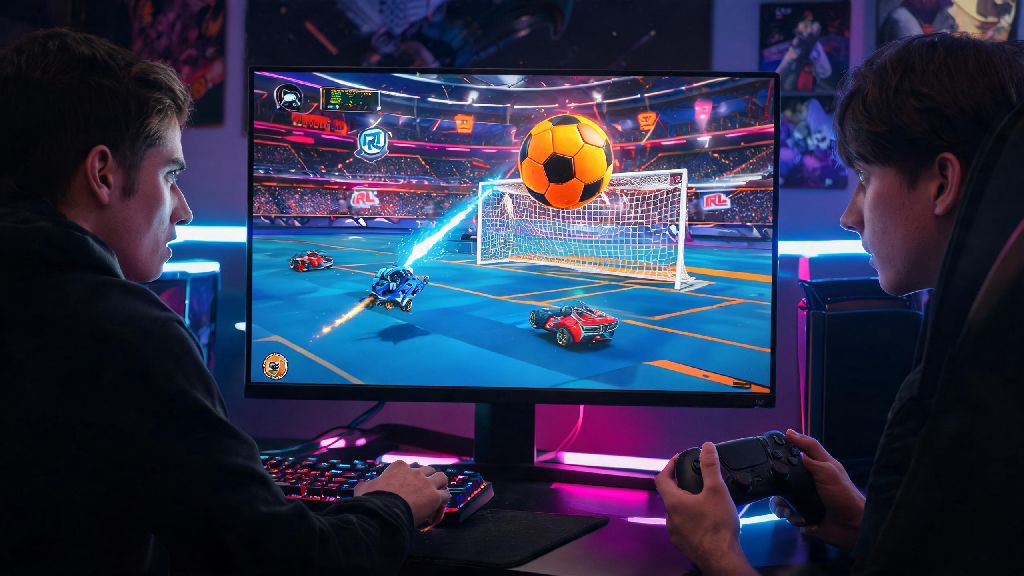
If you’ve only ever dabbled in Rocket League’s offline practice modes or casual solo matches, you’re missing out on 90% of the fun the game has to offer. I still remember the first time I hopped into a multiplayer match with three of my college roommates, yelling across the apartment as we accidentally scored on our own goal three times in a row. If you’re wondering how do you play multiplayer on Rocket League, you’ve come to the right place. This guide covers every multiplayer mode you could want, from casual couch co-op to competitive cross-platform ranked play, so you can jump into matches with friends no matter what platform you’re on.
How Do You Play Multiplayer on Rocket League For Local and Cross-Platform Friends?
The first thing you need to know for any online multiplayer play is that Rocket League uses Epic Games accounts to power cross-platform features, even if you’re playing on a console instead of PC. you must link your platform account to an Epic Games account to access cross-platform multiplayer. The linking process only takes a minute, and you can do it through the Rocket League in-game settings or the Epic Games website. Once your accounts are linked, you can add friends from any platform by searching their Epic ID in the in-game friends list, or add friends directly from your console or PC’s native friends list if they play on the same platform as you.
If you’re having trouble seeing friends on your list, double check that both you and your friend have cross-platform play turned on in your in-game settings. Some players turn this feature off by mistake after installing the game, and it will prevent you from seeing or inviting players on other platforms. Once your party is set up, you can queue for any casual or competitive game mode together, and the game will match you against opponents with a similar average skill level to your party. You can also mute or block toxic players right from the post-match screen if you run into people ruining the fun, which is a feature I use all the time when I run into especially rude random teammates.
Split Screen Multiplayer: Play Couch Co-Op With People in the Same Room
I play split screen with my little sibling every weekend, and it’s still one of my favorite ways to enjoy Rocket League without worrying about lag or toxic random players. You don’t need an internet connection to play split screen against AI opponents, though you will need one if you want to take your split screen party into online matches against other players. all local players need their own platform or guest account to join split screen matches, so make sure you set up any guest profiles on your console or PC before you get started.
Setting up split screen is simple: turn on the extra controller you want to use, press the menu button (Options on PlayStation, Menu on Xbox, + on Switch) on the second controller, and the player will automatically join your lobby. You can have up to four players in split screen mode on all platforms, though the screen gets pretty cramped with four people playing on a small TV. Here are a few quick tips to make split screen play more enjoyable:
- Adjust your split screen layout in the settings menu to horizontal or vertical based on your TV size and preference
- Turn off player names and extra UI elements if the screen feels too cluttered with 3 or 4 players
- Use wired controllers if possible to avoid input lag that gets worse with multiple wireless connections
On PC, you can even mix input types, so one player can use keyboard and mouse while others use controllers, which is perfect if you don’t have enough controllers for everyone. The only downside to split screen online play is that your party will only be matched against other players with good enough internet to handle split screen streams, so queue times might be a little longer than normal.
Private Lobbies and Custom Multiplayer Modes For Casual or Competitive Play
If you don’t feel like dealing with random teammates who leave mid-match or spam toxic quick chats, private lobbies are your best bet. You can set up custom matches for anywhere from 1v1 to 4v4 play, and even tweak game rules to make silly custom modes for your friend group. you can set private lobbies to be invite-only or password protected to keep random players from joining, which is great if you’re hosting a small tournament with friends or just want to mess around without interruptions.
To create a private lobby, go to the Play menu, select Custom Play, then Private Match, then Create Private Match. From there you can adjust almost every game setting you can think of: you can make the ball giant or tiny, turn gravity up or down, make boost unlimited, turn off demolitions, or even make all cars move twice as fast. I once set up a low gravity, unlimited boost custom match with friends and we spent two hours flying around the field scoring ridiculous aerial goals, no skill required.
Custom private matches don’t count towards your rank or season rewards, so you can mess around as much as you want without worrying about losing MMR. If you don’t have enough friends to fill a lobby, you can also join public custom matches that other players have created, which are often themed around specific play styles or modded game modes that you won’t find in standard playlists.
Ranked Multiplayer: How to Climb the Leaderboards With a Team
Once you’ve got a few dozen casual matches under your belt, you might want to try ranked multiplayer to test your skills against players of a similar skill level. Ranked play has 1v1, 2v2, and 3v3 modes, and each mode has its own separate rank tier, from Bronze up to Supersonic Legend. you need to complete 10 placement matches in a specific ranked mode before you get your first official rank, so don’t worry about losing MMR during your first few ranked games. The placement matches are just used to figure out what skill bracket you belong in.
You can queue for ranked solo, or queue with a party of friends, but there’s a rank disparity limit to keep matches fair. For example, if you’re a Diamond rank player, you can’t queue with someone who is Bronze rank, because the skill gap would make the match unfun for everyone involved. If you want to play ranked with friends who are a much lower rank than you, you can make a new alternate account to play on, or stick to casual matches until they rank up enough to queue with you.
When playing ranked with a team, make sure to use quick chats to communicate with your teammates, or use voice chat if you’re playing with friends. Sticking to your role (goalie, striker, support) instead of chasing the ball every time will win you way more matches than trying to score every goal yourself. you get exclusive season rewards like decals, wheels, and titles based on your highest rank at the end of each season, so climbing the ranks even a few tiers can get you some cool cosmetic items to customize your car with. Just don’t leave mid-match if you’re losing, because you’ll get a temporary matchmaking ban that prevents you from playing any online matches for a set amount of time.
At the end of the day, Rocket League’s multiplayer is designed to be flexible, whether you want to mess around with friends on the couch or grind for a Grand Champion rank with a consistent team. Now that you know how do you play multiplayer on Rocket League, the only thing left to do is grab your controller, invite a few friends, and jump into a match. Don’t get discouraged if you lose your first few matches – even the best players in the world started off scoring own goals left and right. The most important part is having fun, and there’s no better way to do that than playing with people you enjoy spending time with.